How To Unlock Bootloader Of Any Xiaomi/Poco/Redmi Device
Well, if you are searching for a latest guide to unlocking the bootloader of your Xiaomi device to try different mods and custom ROMs, then you have landed at the right place. Today in this post we will bring you a complete guide on how to Unlock the Bootloader on Any Xiaomi phone. So read it till the end as each step is important in order to unlock the bootloader.


On this page
What is Bootloader?#
"The Bootloader is the tool that loads the system software on the device and determines the priority for processes that run on the phone. It guards the device state and is responsible for initializing the Trusted Execution Environment and binding its root of trust."
So in simple words, bootloader is a safety measure which prevents and protect the device from any 3rd party modifications
The Bootloader is locked on new phones, to prevent this tool from being damaged by unauthorized use or modification. However, a Bootloader can be unlocked to access special system functions.
You can learn more about Bootloader from here
Advantages of Unlocking Bootloader#
- With an Unlocked Bootloader, you can flash custom firmware on your device.
- You can flash Custom Recoveries like TWRP easily.
- You can easily Root your Device.
- Easily Install Custom ROM on your device.
- Apply tons of Mods and Customizations.
Disadvantages of Unlocking Bootloader#
- Your Device warranty may get void.
- Device performance may be affected.
- Make sure to back up your data before unlocking as Data often gets erased during the process.
- You may not get OTA updates.
Requirements#
- A Desktop/Laptop with an Internet Connection
- Charge your smartphone at least till 70%
- Take a full Backup of your Phone
- You need a SIM card inserted in your phone and need a Mi account associated with same number. Note: Sim should have an active plan as SMS are required in process
- Do note that this guide is only valid for Xiaomi/Poco/Redmi Device. It may not work with others and can cause hard brick
Downloads:#
- Latest MI Unlock Tool: Here
Steps for Applying Bootloader unlock permission#
Note: This Bootloader process is only applicable for the users outside the China
First of all, let’s see the Rules and Conditions for applying the bootloader unlock through the Mi Community App
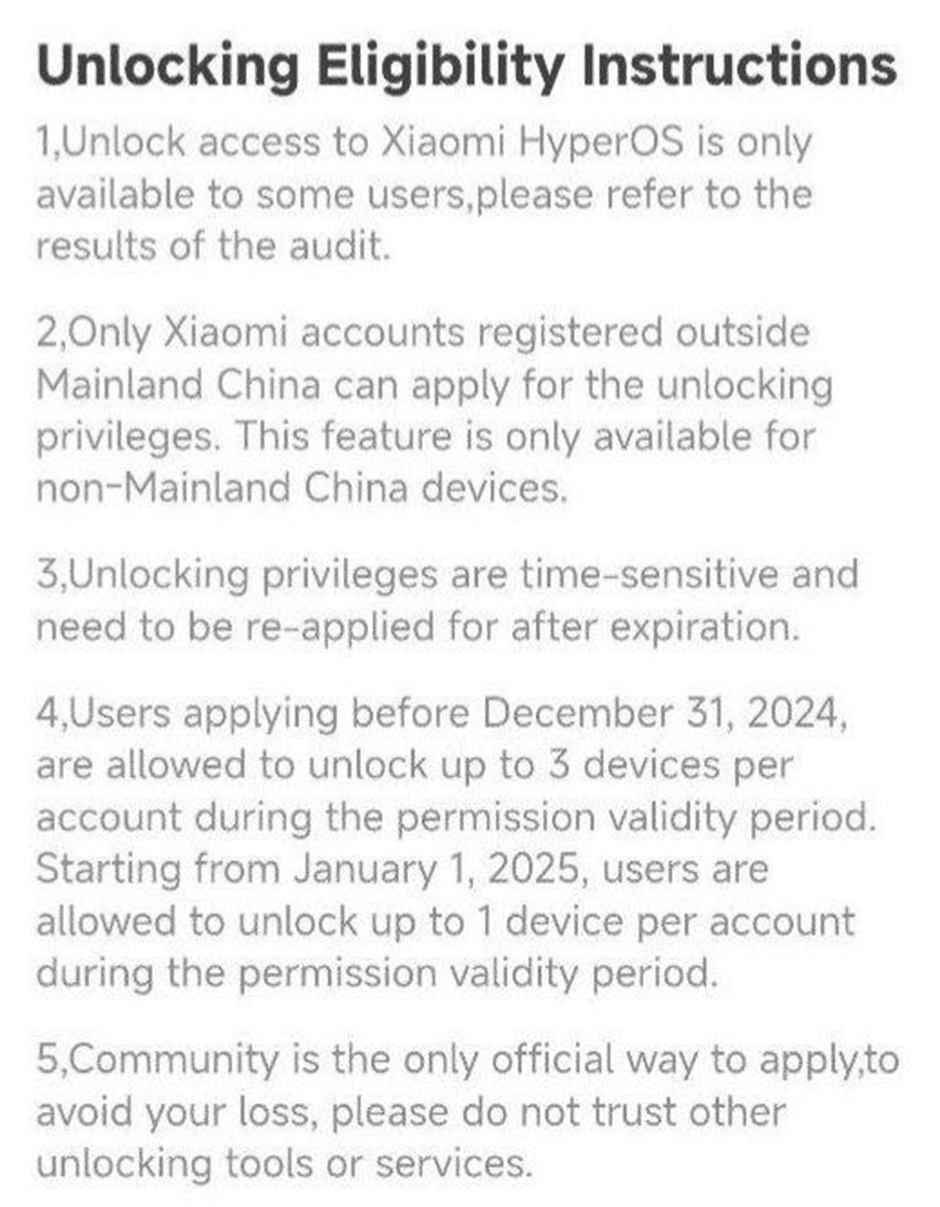
Steps to Apply permission in the Mi Community app#
1. Download the latest Mi community app from Here
2. Open the Community app and click on “ME” at the bottom left
3. Click on Unlock Bootloader option and click on Apply
Note: There are limited slots available per day, so it's best to apply as soon as the day starts in China.
For example, in India, 12:00 AM Beijing time corresponds to **9:30 PM IST**, so you should apply at **9:30 PM IST**.
If you're from a different region, check your local time equivalent to **12:00 AM Beijing time** and apply accordingly.
After getting the permission through the Mi Community follow the below mentioned steps
Add Account in Settings#
- Enable USB debugging in Settings → About Phone → Then Tap OS version 5-7 times to enable Developer Options.
- Now go Settings → Additional settings → Developer Option.
- Now, Tap on Developer Option →Turn on the toggle button OEM Unlocking and USB debugging options.
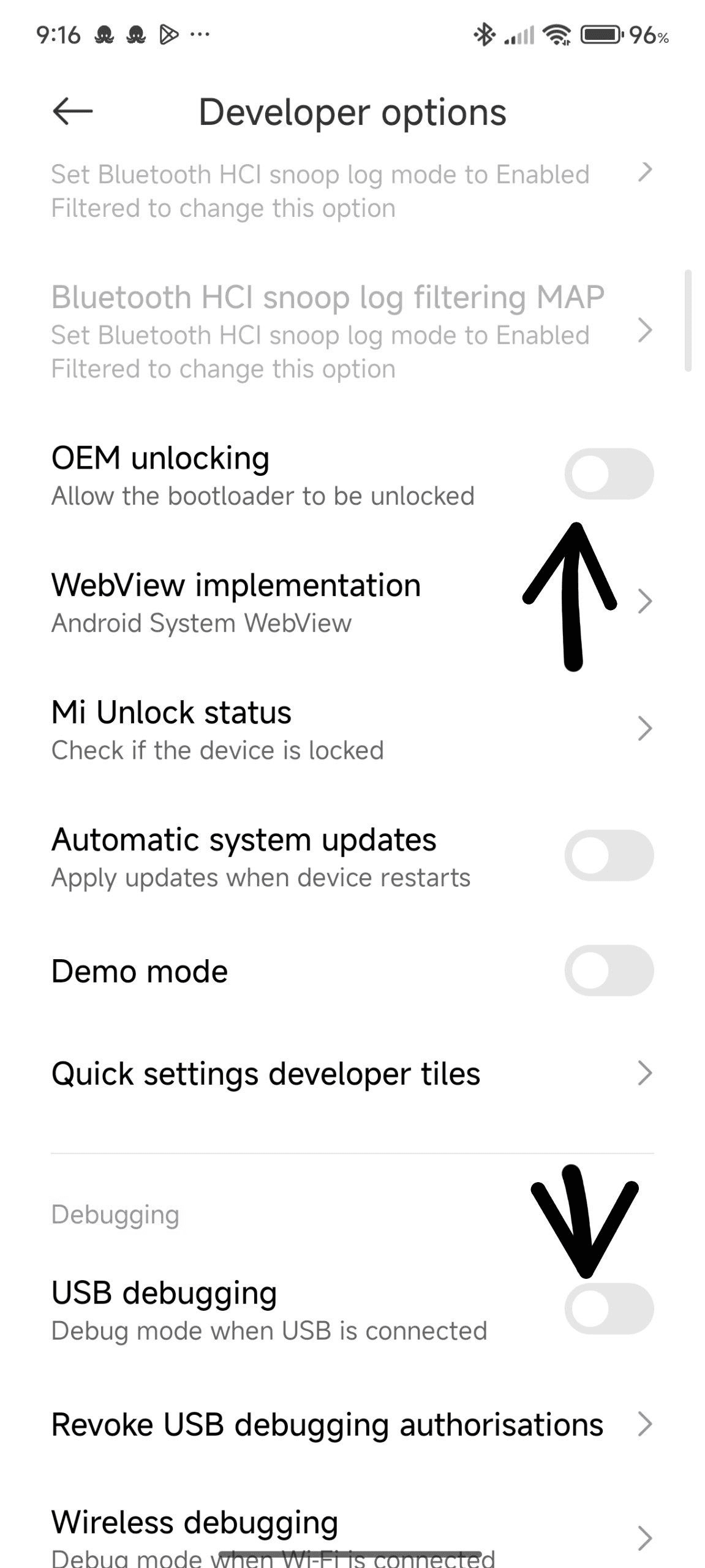
- Turn on your mobile data. The sim should be same as the account is associated with!
- Tap on Mi Unlock status. And then tap on the Agree button.
- After that, tap on “Add Account and Device “.
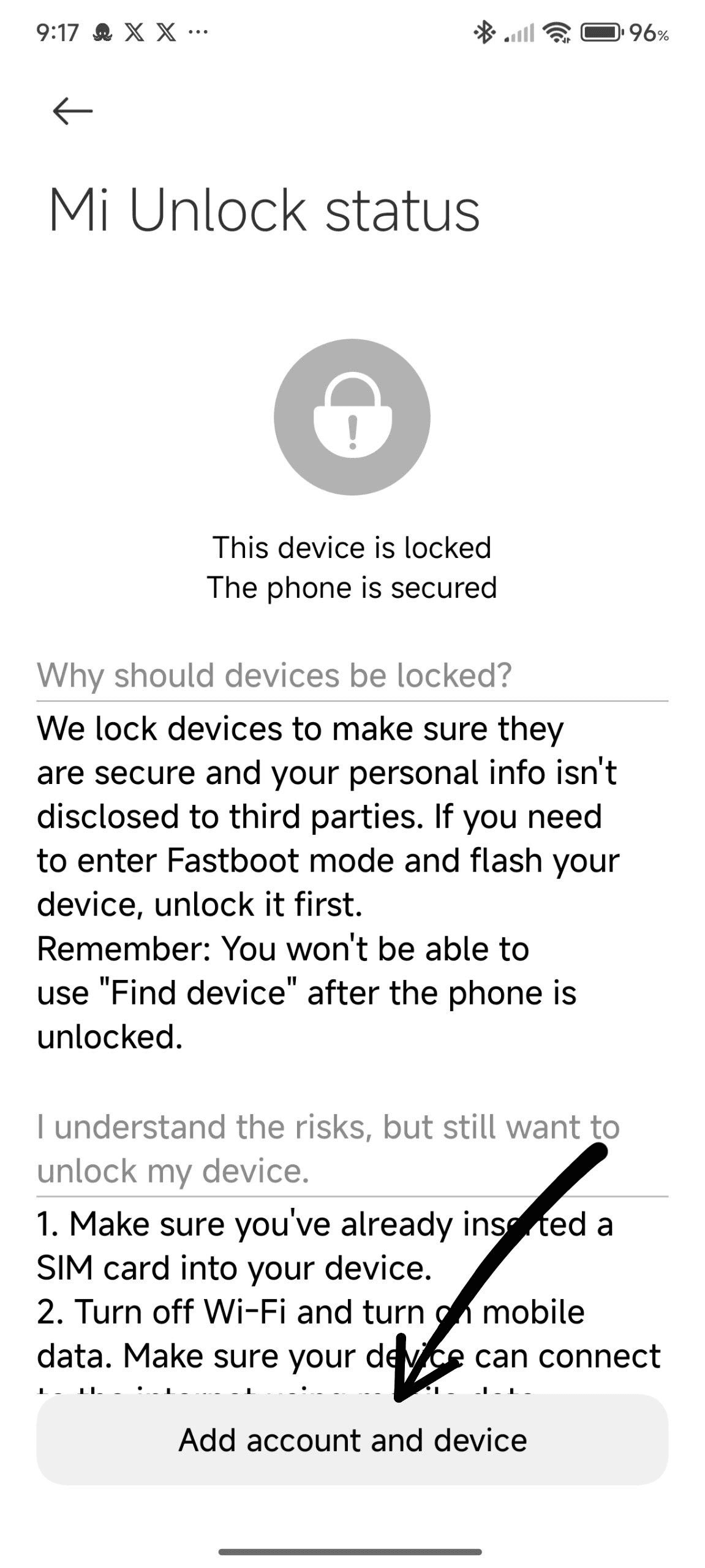
If you have a valid plan or balance account will be successfully added
Note: Do not click on Add Account and Device multiple times as it will reset the unlock timer.
- Download the Mi Unlock Tool and extract it on your computer.
- Now open the extracted folder, then open “miflash_unlock” and select “Agree”.
- Next Sign in with your Mi Account, which is linked with your phone.
- Now Reboot your phone into Fastboot Mode. You can do so by pressing and holding volume down + power key simultaneously or if you have adb and fastboot tools installed in your device then connect it via a usb cable and enter "adb reboot bootloader" without inverted commas.
- Connect your phone to your computer via a USB cable.
- Then Click on the” Unlock” Button in Mi Unlock Tool.
- Click on “Unlock Anyway” and proceed.
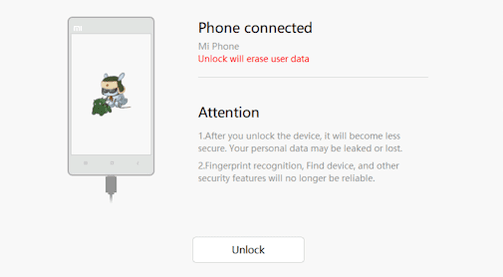
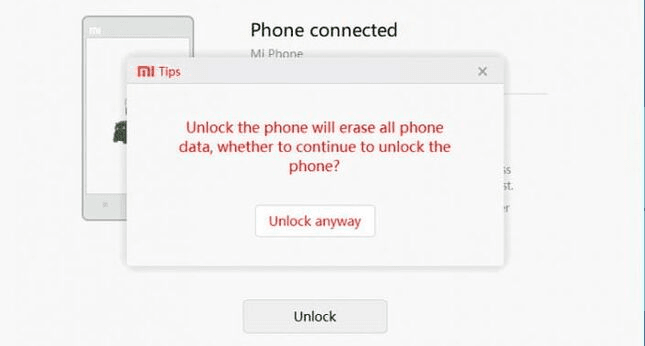
Note: You have to wait for 7 days i.e. 168 hours or maybe even more on a newly linked device
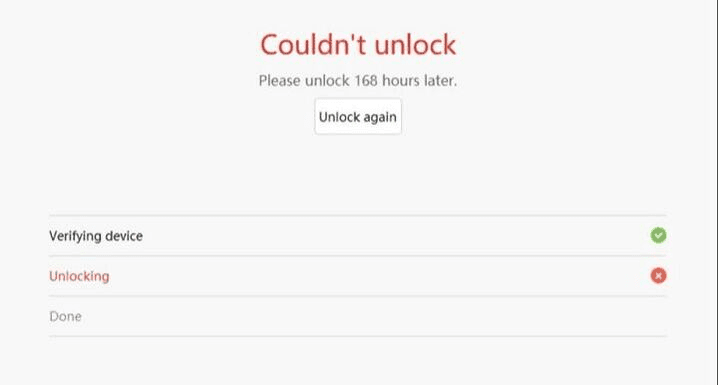
- After your wait time is over, you can successfully unlock your phone's bootloader.
- Now the unlocking process will start, wait some time for” Unlocked Successfully” message.
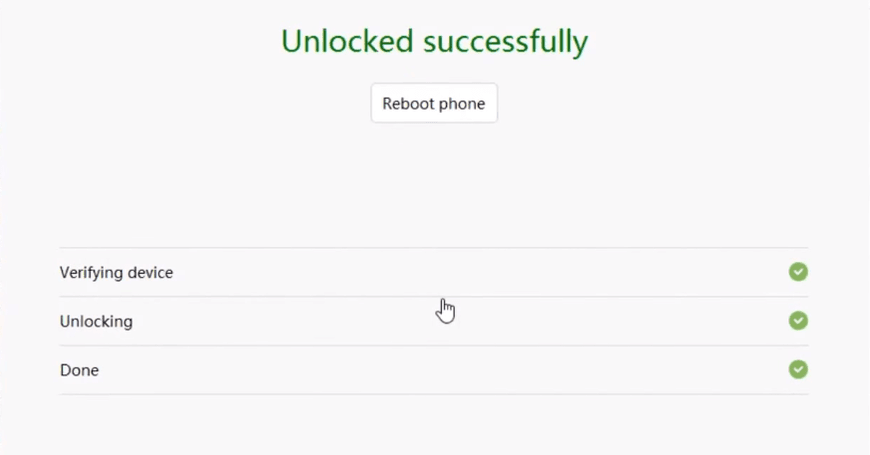
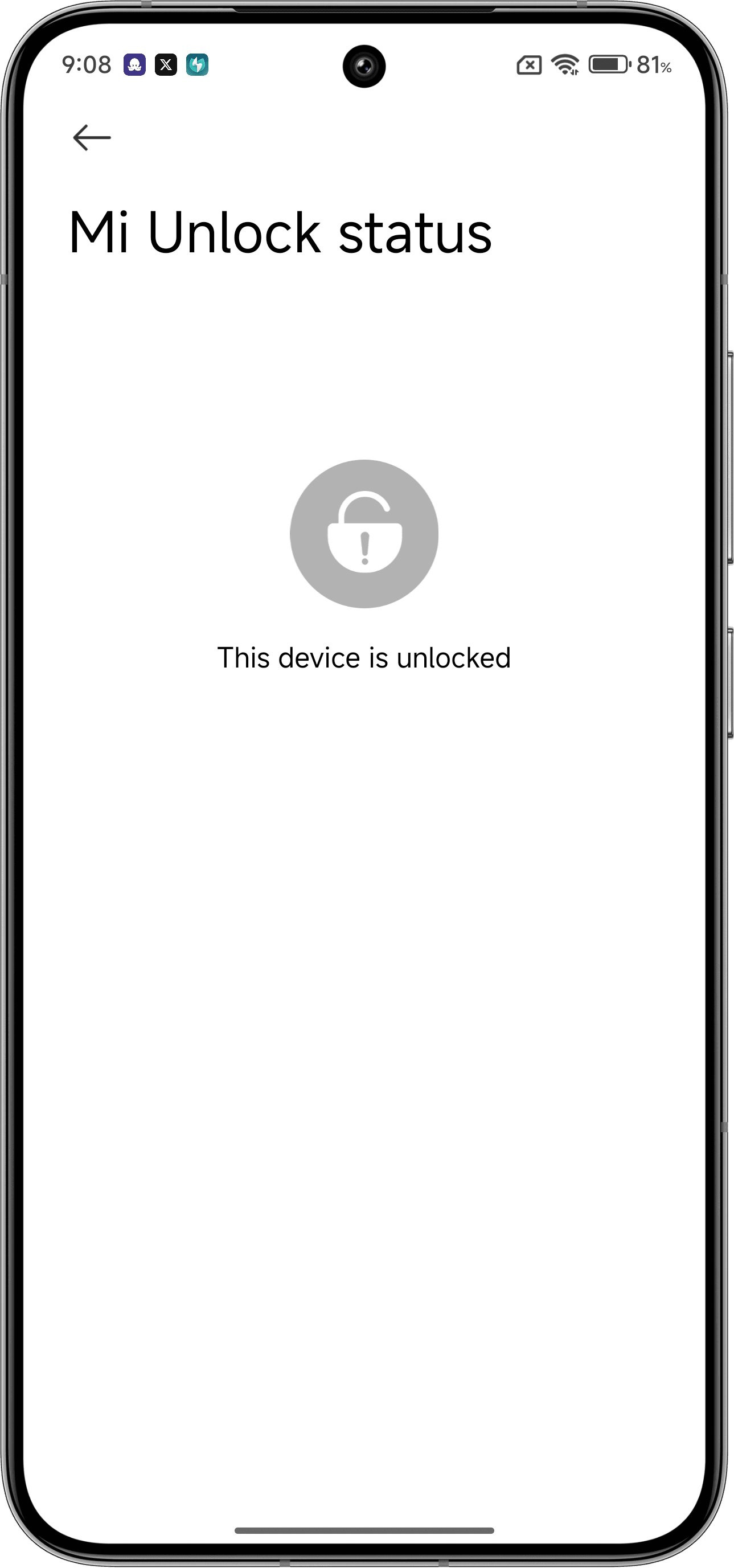
- To confirm that bootloader is unlocked, Enable Developer Options again after setting up your Device
- Go to developer options and then tap on Mi Unlock Status.
- If you see This device is unlocked, then you have successfully unlocked the bootloader and now can enjoy mods your device :D.