Rooting Your Device With KSU (KernelSU)
Let’s see how to root the Android devices using using the KernelSU for Xiaomi/Redmi/POC devices
 Nissi VardhanContent writer 3 min read
On this page
Hi there,
Nissi vardhan here
Introduction#
Concept of Root (Android & Linux)#
Rooting is the process of gaining privileged access (root access) to a device's operating system, typically in Android or Linux-based systems. It allows users to bypass manufacturer and carrier restrictions, enabling full control over the system.
Benefits of Rooting#
1. Full Control Over the System
- Modify or delete system files
- Customize settings beyond default options
2. Performance Enhancement
- Overclock or underclock the CPU for better performance or battery efficiency
- Remove bloatware and unwanted pre-installed apps
3. Advanced Customization
- Install custom ROMs and kernels
- Modify UI elements and themes at a deeper level
4. Better Battery Life
- Use root-only apps to control background processes
- Adjust CPU and GPU performance setting
5. Access to Root-Only Apps
- Use apps like Greenify, Titanium Backup, and AdAway for advanced features
6. Enhanced Backup and Recover
- Full system backups using tools like TWRP (Team Win Recovery Project)
- Restore previous system states without data loss
7. Modify System-Level Permissions
- Grant or deny permissions to any app
- Improve privacy and security control
Risks of Rooting#
- Voids Warranty: Most manufacturers void the warranty upon rooting.
- Security Risks: Root access can expose the device to malware if not handled properly.
- Bricking the Device: A failed rooting process can render the device unusable.
- Loss of OTA Updates: Official updates might not be available after rooting.
How to Root (KSU Method)#
First of all, install the KernelSU app from GitHub and You need init_boot.img
Click here to download KernelSU App
How to get init_boot.img?
Want to extract init_boot.img from Recovery rom? Click here
Download the Fastboot rom file of your device current software version and extract the file, In the extracted file you will find the init_boot.img which will be around 8mb.
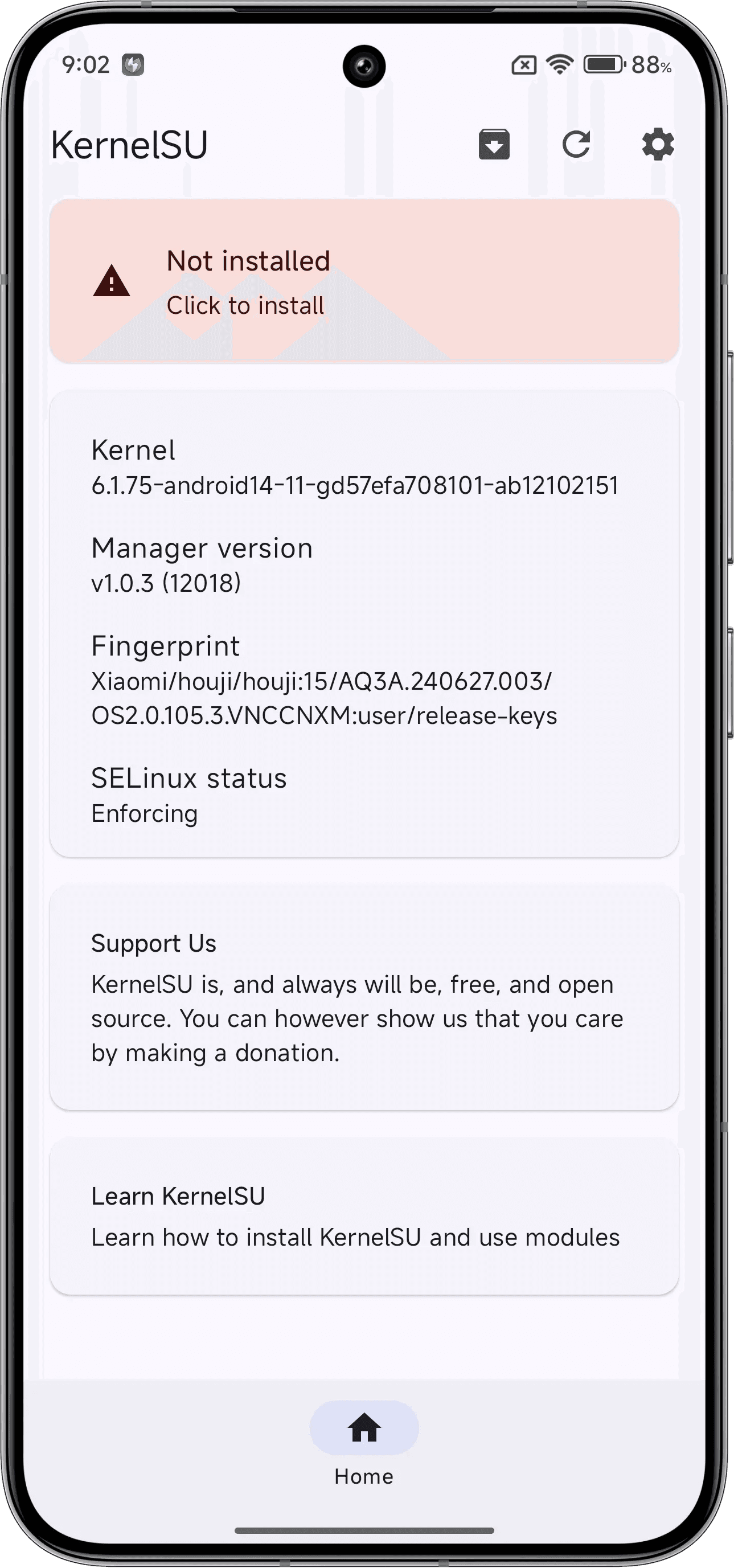
Now open the app and click on “Click to Install”
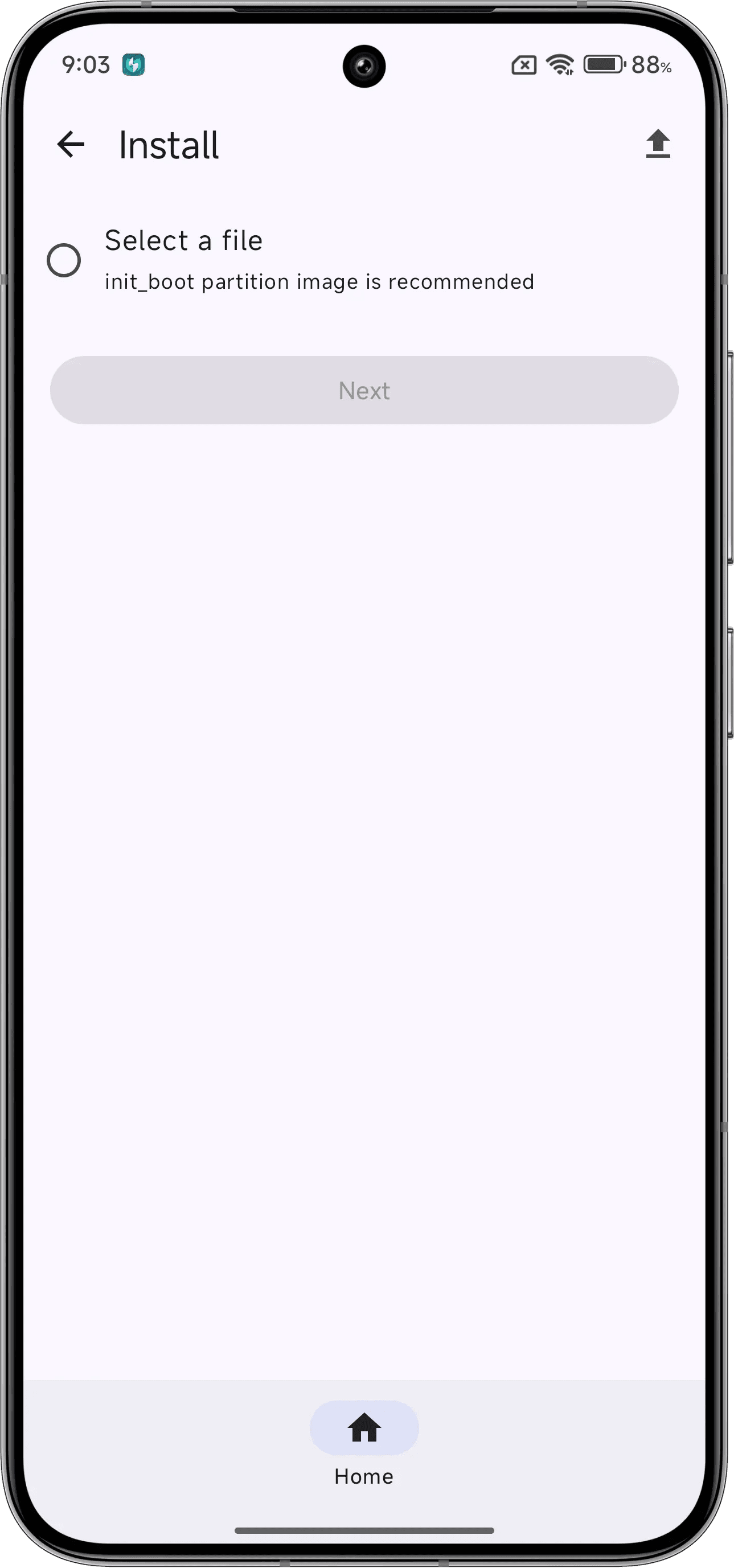
Now select the init_boot.img file that you got after extracting the Fastboot Rom
The KSU app will patch the init_boot.img and will give you a PATCHED init_boot.img file (The file name and location of the patched file will be mentioned in that page itself)
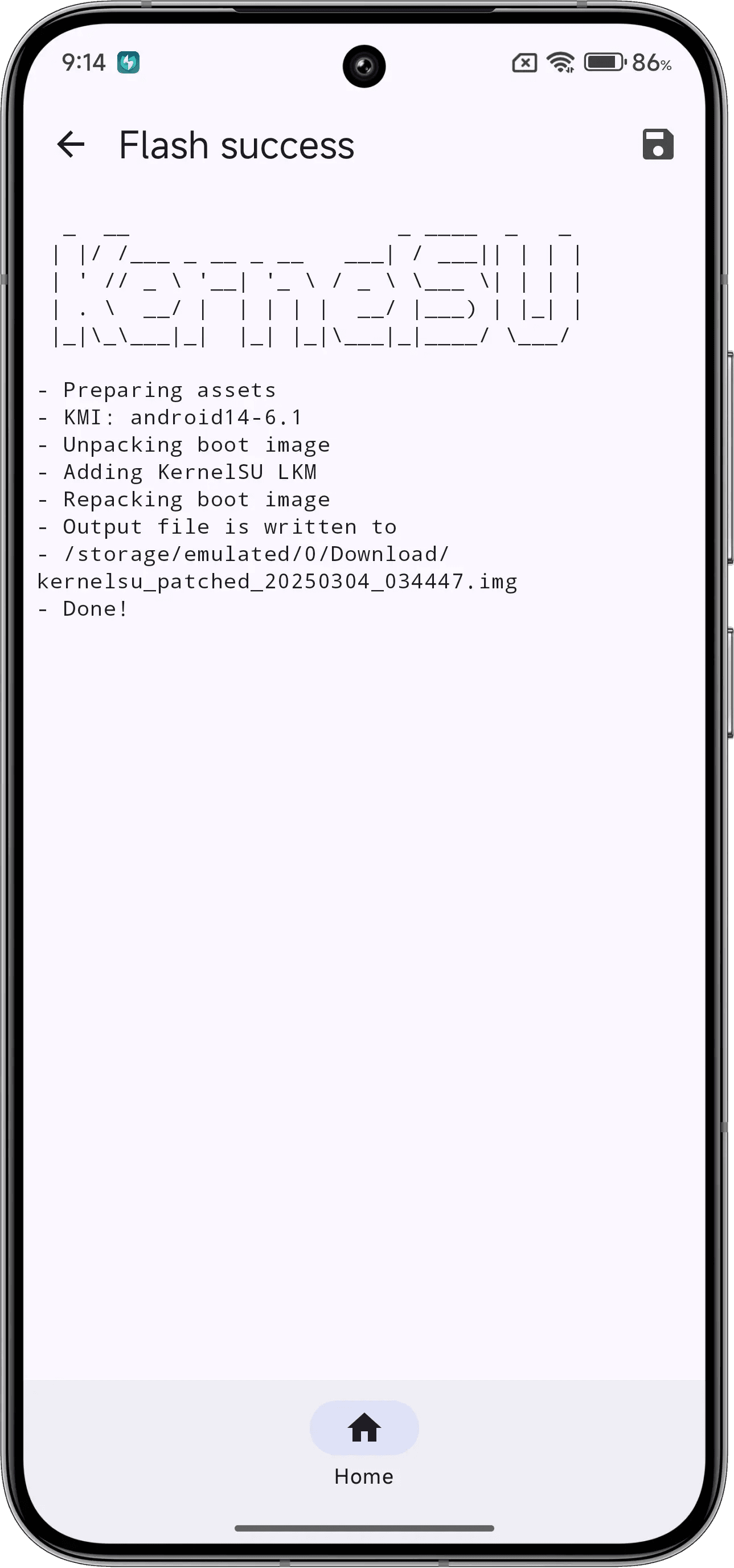
Rename the Patched init_boot.img to patched_init_boot.img and send it to your Laptop/PC.
Now enter the Fastboot mode in your device and connect it to the Laptop/PC and check whether your system is able to detect the device or not using the command “fastboot devices” in cmd prompt (Open the CMD from the folder location where the file is located)
Once it shows the Device ID (Which means system is able to detect the Device), Now enter this command in CMD “fastboot flash init_boot <file name>” in the place of file name type patched_init_boot.img and click "ENTER BUTTON"
(For lazy people like me fastboot flash init_boot patched_init_boot.img)
Now type the cmd fastboot reboot
Done, now your device is ROOTED
That’s it, folks! Now you know how to **root your device using KernelSU (KSU)** with ease. I hope this guide helps you unlock the full potential of your device.
If you have any questions, feel free to ask! Stay tuned for more guides. See you in the next one! 🚀